

Help CenterDaily work
Page not found, no connection and errors
Last checked against the product: October 26, 2026
What it's about
Sometimes Nuntera cannot show a page: the address does not exist, your internet connection is gone, a section does not load, or Nuntera was just updated. Then you see a clear page with one sentence about what happened and a button that helps you on.
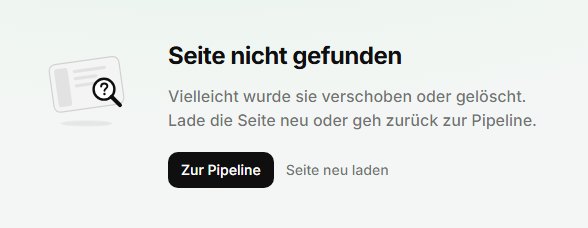
Where to find it
In the place of the page that could not be loaded. If only the content of a page fails, the sidebar, the top bar and Gary keep working.
How it works
- Read the sentence: it tells you what happened.
- Click the black button: "Go to pipeline", "Try again" or "Reload the page".
Which pages there are
- "Page not found": the address does not exist in Nuntera, for example an old bookmark. "Go to pipeline" takes you to the board.
- "No connection": your device is offline. The page behind it stays loaded and comes back by itself as soon as you are online again.
- "Something went wrong": a section could not be loaded. "Try again" loads it again.
- "Nuntera was just updated": your page is still the old version. "Reload the page" fetches the new one.
Good to know
- Links from emails and invitations keep working. "Page not found" only appears for addresses Nuntera really does not know.
- Nothing is lost with "No connection". Your filters and your place on the page stay.
Frequently asked questions
I see "Page not found" after a link from an email. What now?
Open the page through the sidebar or the search (Ctrl+K) and tell us via "Feedback" which email it was.
Do I have to reload when I see "No connection"?
No. As soon as the connection is back, the notice disappears by itself.