

Help CenterSet up your AI
Agent settings
Last checked against the product: October 3, 2026
What it's about
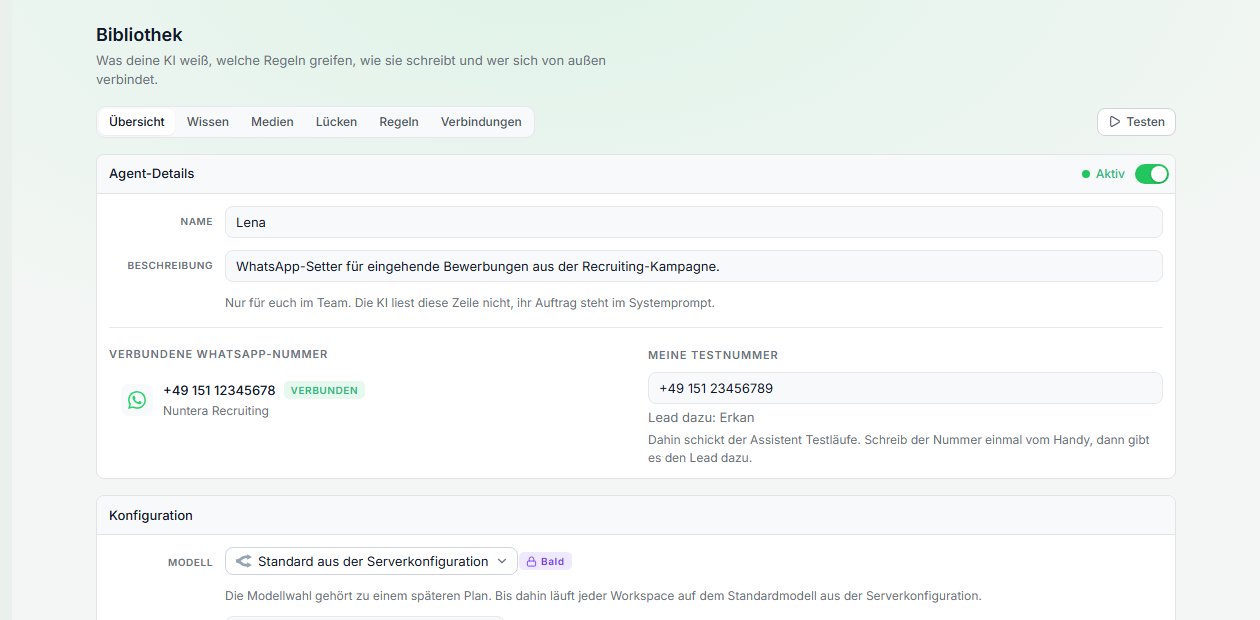
Here you decide who your AI is and how it writes to your leads: name, language, form of address, reply speed and its mission, the system prompt. In the chat tester you try it out before a real lead asks.
Where to find it
In the sidebar under "Library", tab "Overview". You open the chat tester at the top right with "Test".
How it works
Change the settings
- Open "Library", tab "Overview".
- Under "Agent details", enter the AI's "Name" and the "Description", plus "My test number".
- Under "Configuration", choose the "Language", the "Temperature" (from "Precise" to "Creative") and the "Default form of address". Under "Reply behaviour" you set how long the AI waits before it replies.
- "Unsaved changes" appears at the bottom. Click "Save", or go back with "Discard".
As long as you have not saved a system prompt of your own, the AI works with a short default brief in the language of your workspace: it answers enquiries, clarifies the need and leads to a conversation with your team.
Write the system prompt
- In the "System prompt" section, click "Edit".
- Write who the AI is, who it writes for, what it should achieve and what it must not say.
- With the badges above the text field you insert variables, such as the AI's name, the name of your workspace, the lead's first name or today's date. When it replies, Nuntera fills in the current values. If it doesn't know a value yet, such as the first name, the variable stays as it is.
- "Preview" shows your text with the values filled in.
- "Save".
Switch the AI off
- Under "Agent details", flip the "Active" switch.
- "Save".
Use the chat tester
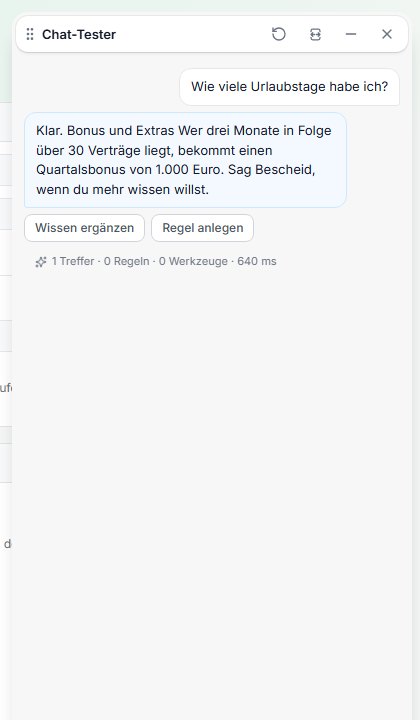
- Save your changes on the overview first, then click "Test" at the top right.
- Write a question the way a lead would ask it. Enter sends.
- If the answer is off, "Add knowledge" or "Create a rule" right below it helps. The question is already filled in.
- A click on the line below it shows which knowledge and which rules the AI used.
- With the arrow icon "Reset the thread" you start over.
What the AI does
- It writes with the name and the form of address you set, and it follows your system prompt. With the formal "Sie" it uses "Herr" or "Frau" (Mr or Ms in English) only with a last name; if it only knows the first name, it greets without a name ("Guten Tag, …"). It replies in the lead's language (German or English); your language applies when that is not clear. To US numbers (+1) and in US workspaces it writes appointments the way people read them in the US: "Tuesday, November 17 at 3:00 PM".
- Without a system prompt of your own it works with a built-in mission: answer enquiries, qualify the lead and lead them to a conversation with your team.
- A few basic Nuntera rules always apply. For example, it honestly says that it is an AI assistant when someone asks it directly.
- If a lead writes several messages in quick succession, it replies once to all of them.
- In the chat tester it replies with your saved system prompt, your knowledge and your rules. It sends nothing to WhatsApp and changes nothing about your leads.
Good to know
- Changes take effect from the AI's next reply. The "Active" switch also only takes effect after "Save".
- Without a system prompt nothing can be saved. Write a mission first.
- The "Description" is only for your team. The AI doesn't read it.
- When it is switched off, the AI replies to no one. Messages still arrive, and your team replies itself. The "Frozen" switch in the chat is no substitute for this: it stops everything for one lead, including your own writing, and counts as an opt-out (Chat).
- The chat tester doesn't try out appointments, media or your own tools. You only see those in the real chat.
- "My test number" is what you need for test runs of campaigns (Campaigns).
- Owners and admins can change and test. Agents and viewers only see the settings.
Frequently asked questions
Do I have to adjust the system prompt when I change the AI's name?
Not if you use the variable for the name in the text. Then the new name follows on its own.
Why doesn't the chat tester show my change?
It works with the saved version. "Save" first, then test.
Does the chat tester send anything to a lead?
No. But a dry run calls the real AI and therefore costs money.
Do my campaigns keep running if I switch the AI off?
Yes. Only the parts where the AI replies itself stay silent.
Can I also change the settings from Claude Code?
Yes, with a key from "AI assistants" that has write access (AI assistants).