

Help CenterGetting started
Welcome cards on your first visit
Last checked against the product: October 26, 2026
What it's about
The first time you open Contacts, Calendar, Library, Campaigns or Nuntera CRM, Nuntera shows you a short card: a picture, three points about what you can do there, and “Get started”. The page behind it is ready right away.
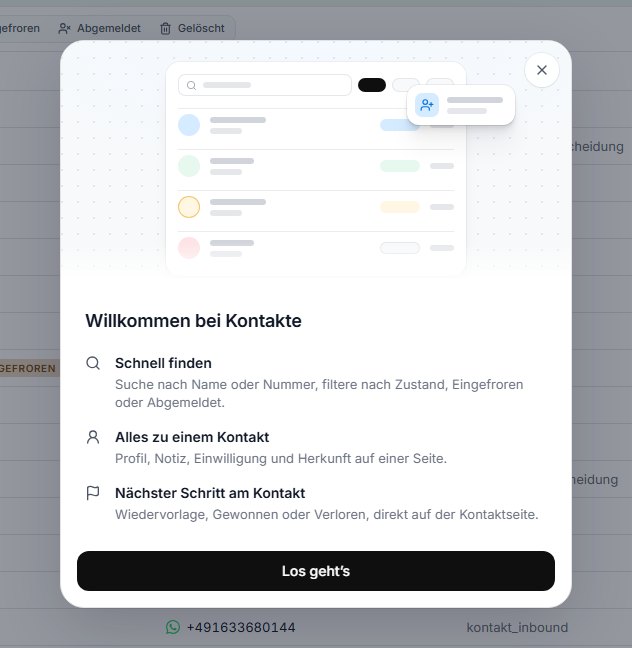
Where to find it
On your first visit to “Contacts”, “Calendar”, “Library” and “Campaigns”, once each, and in Nuntera CRM once for Pipeline and Contacts together.
How it works
- Read the three points.
- Click “Get started”. You can also close it with the × at the top right, the Escape key or a click next to the card.
Good to know
- Once per area: the Library does not ask again on every tab, and after the contact list the card does not come back on a contact page.
- Remembered in your browser: on a new device you see each card once more.
- Not on the Nuntera WhatsApp board: setting up with Gary takes you there.
Frequently asked questions
Can I open the card again?
No. Everything is described in more detail in the help articles on contacts, calendar, library, campaigns and Nuntera CRM.
Why does the card come back on my second computer?
It is remembered per browser. Close it once and it is gone there too.